Extensions & Add-ins Chrome / Edge extension

Browser extension · manual install

Turn anything Danish on the web into a lesson

Study with DanskAI lives in your browser and meets you where you already are — your textbook, YouTube, the news. One click hands the content to the DanskAI tools you already use. No copy-paste, no tab-juggling.

How install works

Reads only what you can already see, only when you ask.

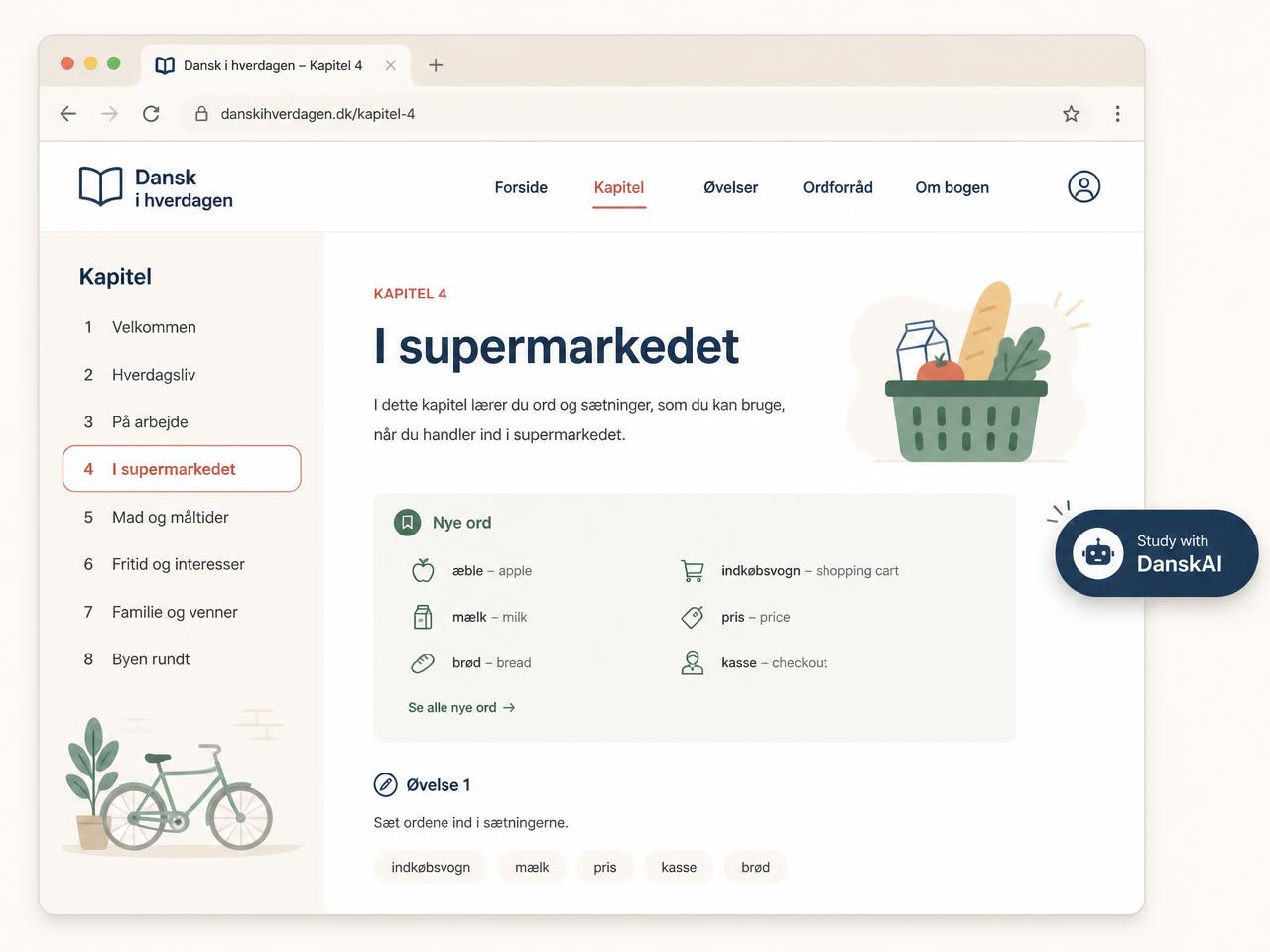
A Danish textbook webpage with the Study with DanskAI button floating on the page

Gyldendal iBog

Your textbook, straight into your notes

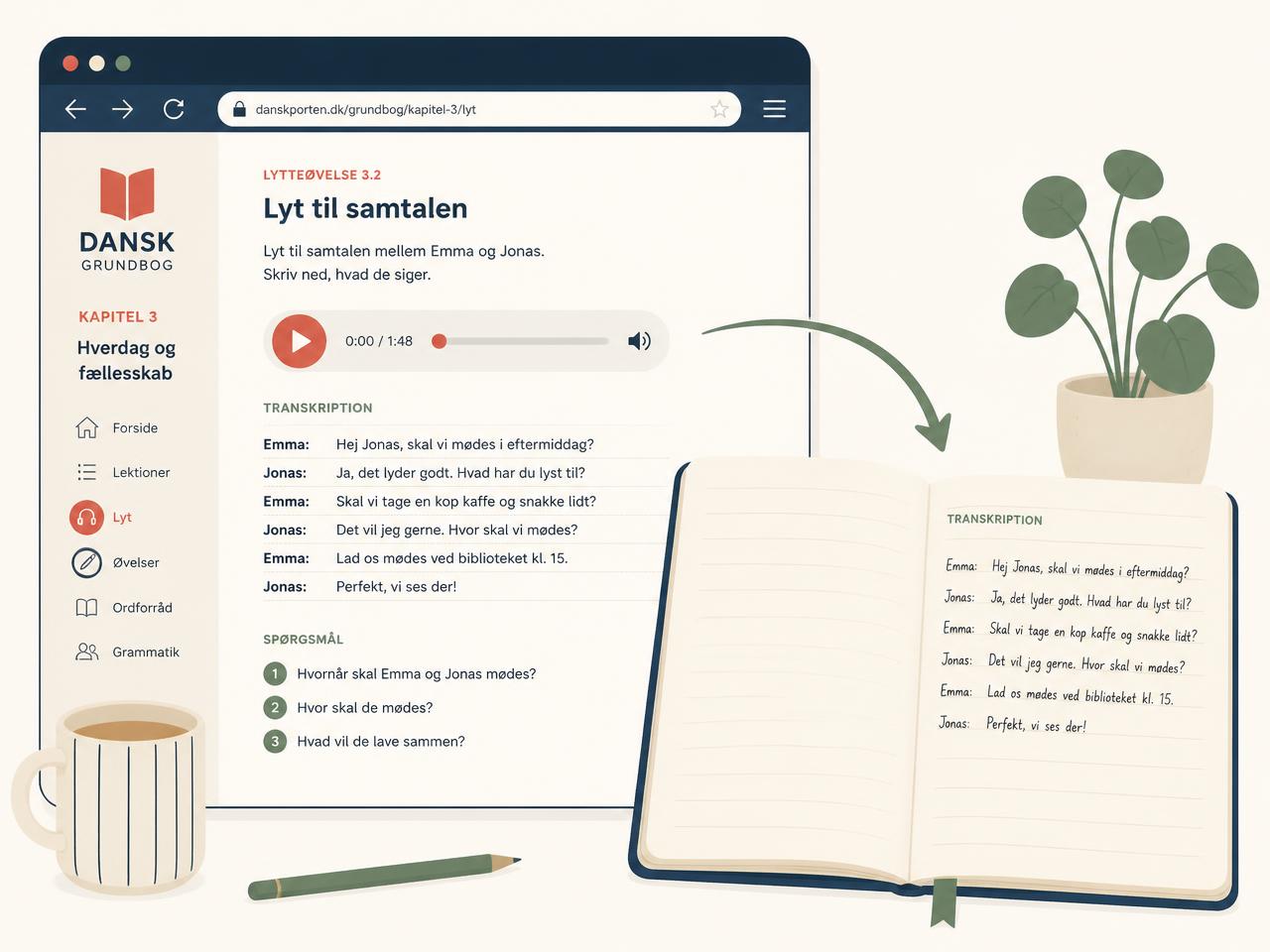
On a listening exercise page, one click sends the transcript and its questions into a DanskAI lesson note — or hit "Transcribe while I play this" and the exercise is transcribed live as you listen.

  • Transcript + questions land in a lesson note, ready to study
  • Live transcription while the exercise audio plays
  • Nothing copy-pasted by hand, ever
Illustration of an iBog listening exercise flowing into a DanskAI notebook

YouTube

One click: video → video flashcards

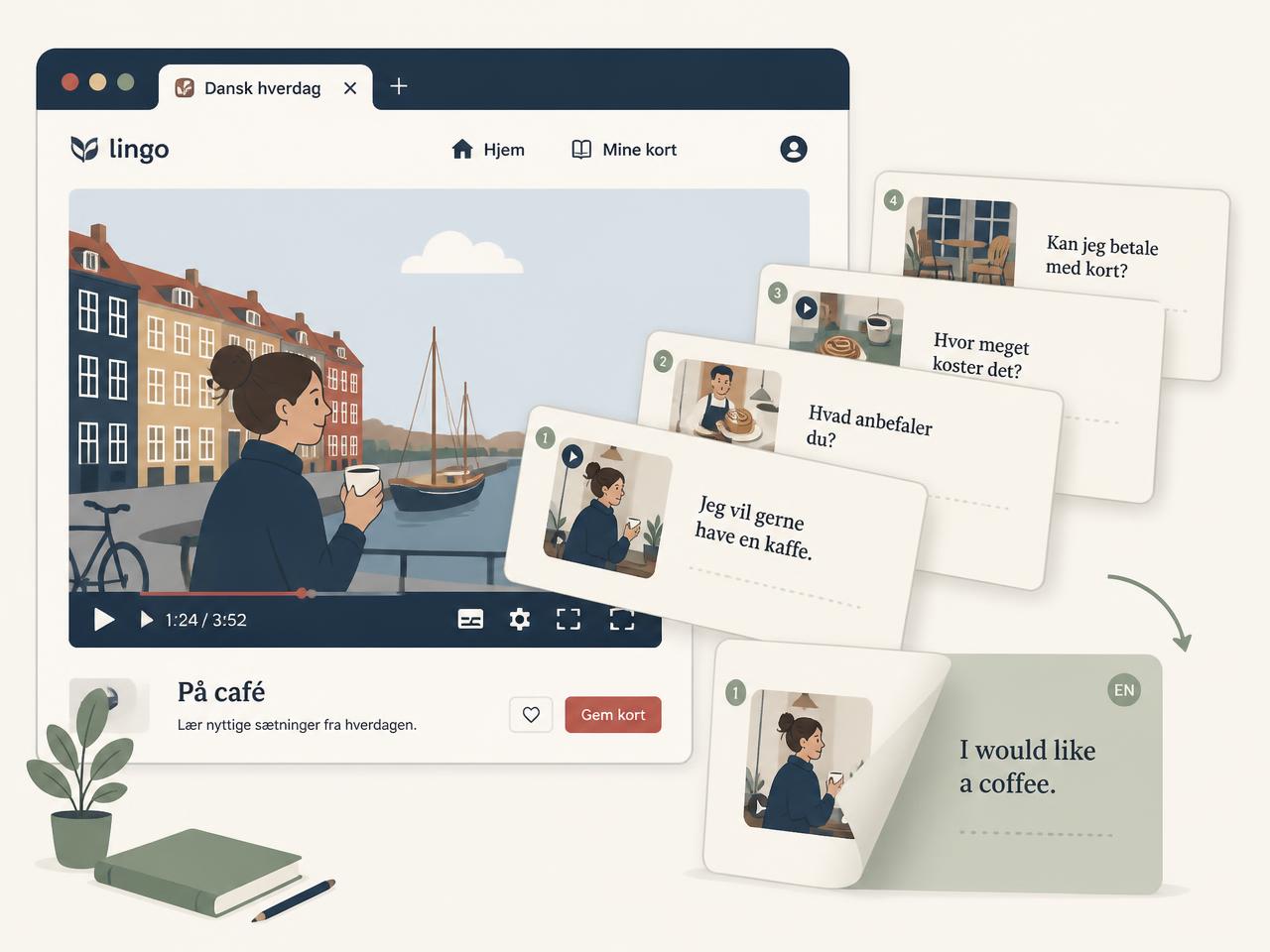
Watching something in Danish? The extension opens the Video Flashcard Maker with the video already selected — captions become bilingual flashcards that keep the original audio of each sentence.

  • Generate cards from the whole video, or just the last few minutes
  • Danish on the front, English on the flip, native audio preserved
  • Cards save straight into your vocabulary bank
Illustration of a video turning into a fan of bilingual flashcards

Any Danish page

Highlight anything. Study it.

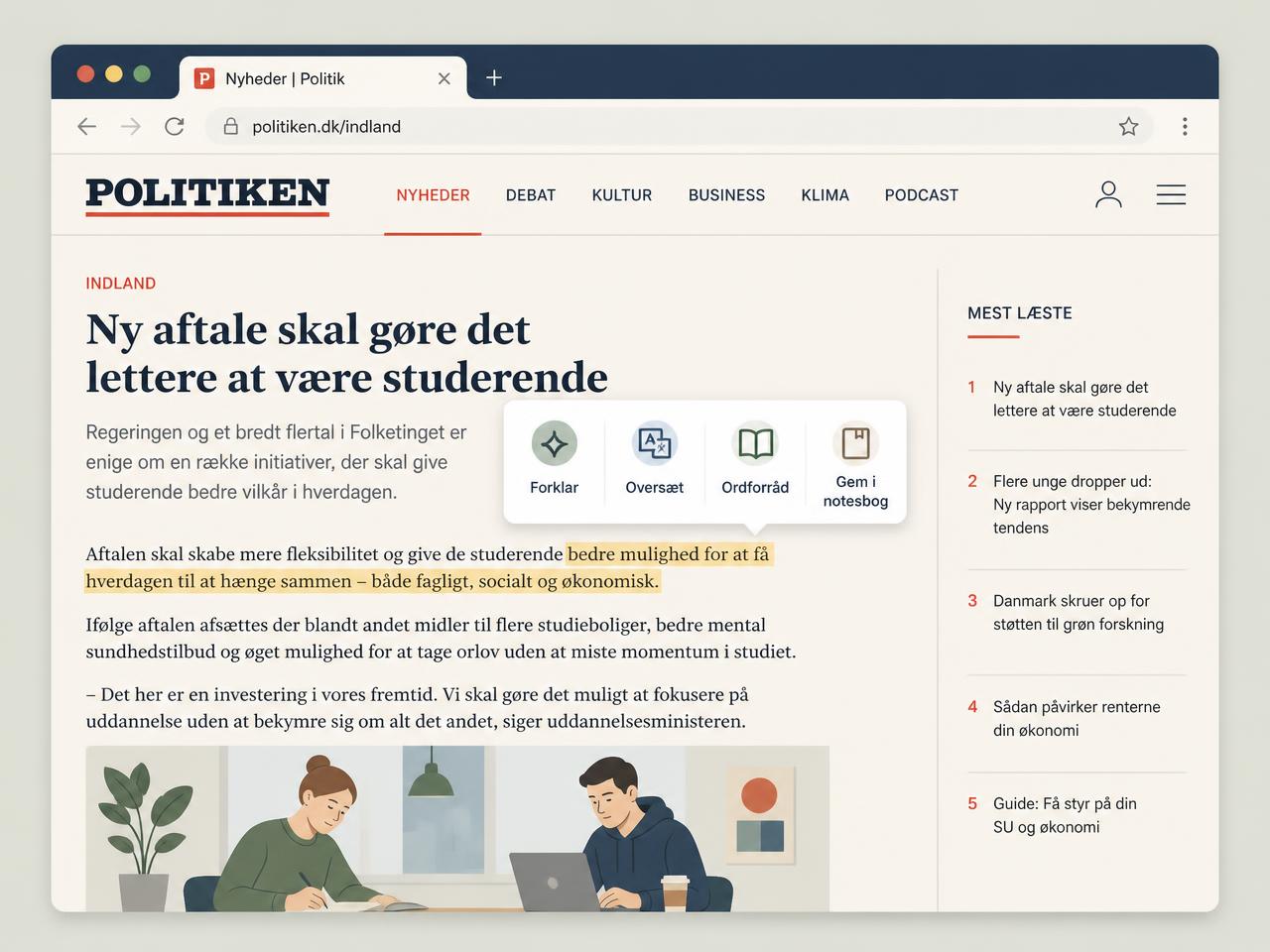
News, blogs, official letters — highlight any Danish text and a small menu appears: explain it, translate it, pull the vocabulary out, re-read it at your level, or save it to a note.

  • Explain and translate in context, not in isolation
  • Vocabulary goes straight to your bank with the source sentence
  • Works on any website, not just the big ones
Illustration of a highlighted sentence in a Danish news article with a study menu

Up and running in four steps

The extension is not in the Chrome Web Store yet, so it is installed by hand. It takes about two minutes.

STEP 1

Download & unzip

Grab the extension zip below and unzip it — you will get a small folder of files.

STEP 2

Load it in Chrome or Edge

Open chrome://extensions, enable Developer mode, click "Load unpacked" and pick the folder.

STEP 3

Connect to DanskAI

Open the extension, click "Connect to DanskAI", then sign in or create an account in the tab that opens. The browser connects automatically — no code to copy.

STEP 4

Study any page

Open an iBog page, a YouTube video, or any Danish article — then use "Study with DanskAI" to choose exactly what you want to study.

Nothing leaves the page unasked

The extension reads only the captions and text you are already licensed to see, in your own logged-in tab — and only at the moment you click a Study action. There is no background scraping, no tracking, and no content is sent anywhere until you ask for it.

You can disconnect this browser at any time from the extension popup or Settings → Study with DanskAI.

Ready to study the real Danish web?

All extensions & add-ins

Trouble installing? Contact support and we will get you sorted. Prefer the reading side of things? See the lesson notes guide.

Works in Chrome, Edge, Brave, Arc and Opera.